Integrations
The AIAS is beginning to appear directly in the platforms educators use to design and manage assessment. These integrations can make assessment design and clear student expectations part of the normal workflow, rather than a separate policy exercise.
New integration · August 2026
The AIAS in Studiosity Validate
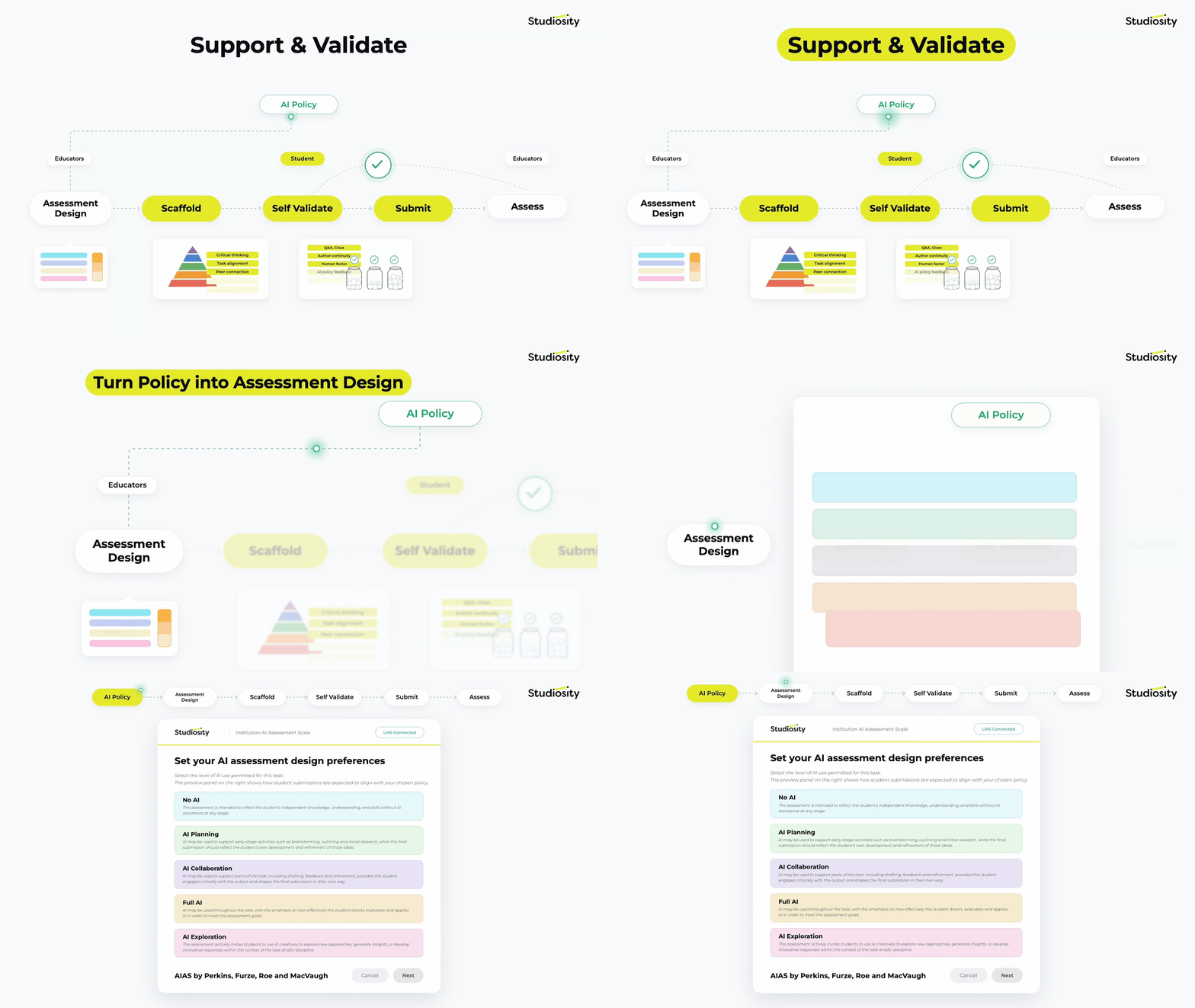
Studiosity has integrated the AI Assessment Scale (AIAS) into Validate, its support and validation platform for higher education. The work is being led on the AIAS side by co-developers Dr Mike Perkins and Dr Jasper Roe.
How the integration works
- Educators select one of the five AIAS levels within their usual LMS task setup, making the intended role of AI an explicit part of assessment design.
- An AIAS level can be paired with an authorship validation threshold suited to the assessment risk and learning objectives.
- Students receive clearer expectations and formative support, then answer structured questions at submission to help demonstrate their understanding and authorship.
Why this matters
Putting a framework into a platform does not solve academic integrity, and no single software solution can. This integration is a useful step because it takes a multi-layered, learning-first approach and makes purposeful assessment-design decisions harder to skip.
“We have always seen the AIAS as an assessment design framework, rather than simply a set of labels to attach to existing tasks. Bringing it into the infrastructure educators use to design and manage assessment is an interesting next step in putting that principle into practice.”
Integration · August 2026
The AIAS in Perusall
Perusall has built the AI Assessment Scale into its assignment setup. Instructors can choose an AIAS level for each assignment to communicate the intended role of AI to students as they begin their work.
How it works
- When creating or editing an assignment, instructors can select one of the five AIAS levels. Students see its name and description in the assignment information panel.
- In course settings, instructors can customize the scale, including the names and definitions of its levels, to suit their own context.
- The selected level is a starting point for expectations. Assignment instructions should explain what students may or must do with AI, what evidence they should provide, and how their work will be assessed.
